Business laptops · OEM & ODM programmes

Business laptops matched to the working pattern.

Compare conventional office, convertible touch and large-screen references. Select a form factor, then validate the exact build with your applications and peripherals.

Direct answer

Which business laptop format fits the project?

Start with how the device will be used. M156FB provides a 15.6-inch Core i5 reference for conventional office briefs. J1 and R2 add touch and 360° positions in different display formats. P1 provides a conventional large-screen workspace; the current Core i3 reference is 17.5 inches and non-touch. These are platform directions, so approve the actual CPU, memory, storage, connections and software image before placing an order.

Platform shortlist

Four references for three working patterns.

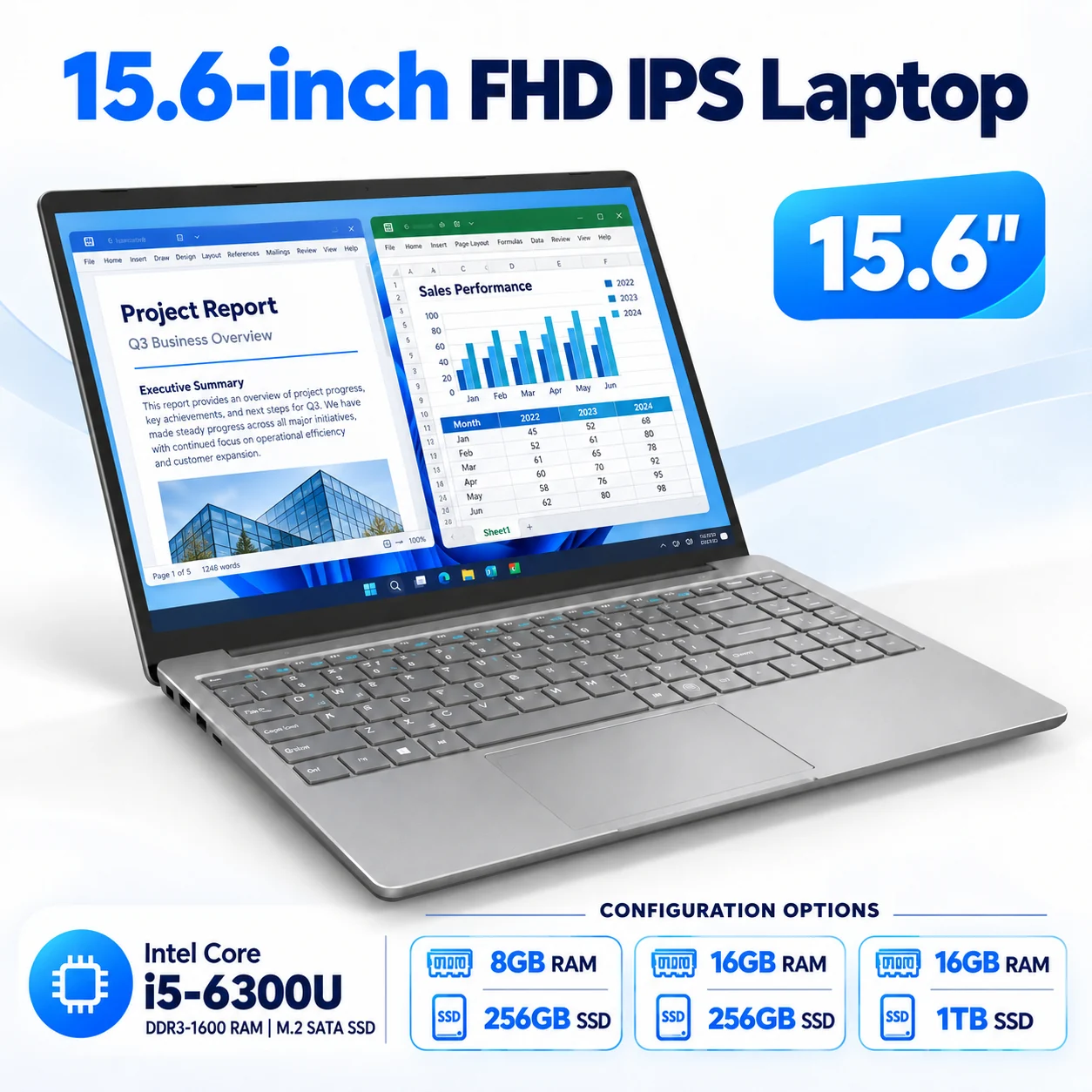
Office & channelM156FB 15.6-INCH FHD reference laptop

M156FB

15.6-INCH FHD
  • Display1920 × 1080 IPS
  • CPU referencesCore i5-6200U / i5-6300U
  • Capacity8GB / 16GB RAM; SSD by build

Evaluate for: Office and channel briefs that require a Core i5 reference. Validate the actual software image, workload and peripherals.

View M156FB specifications →
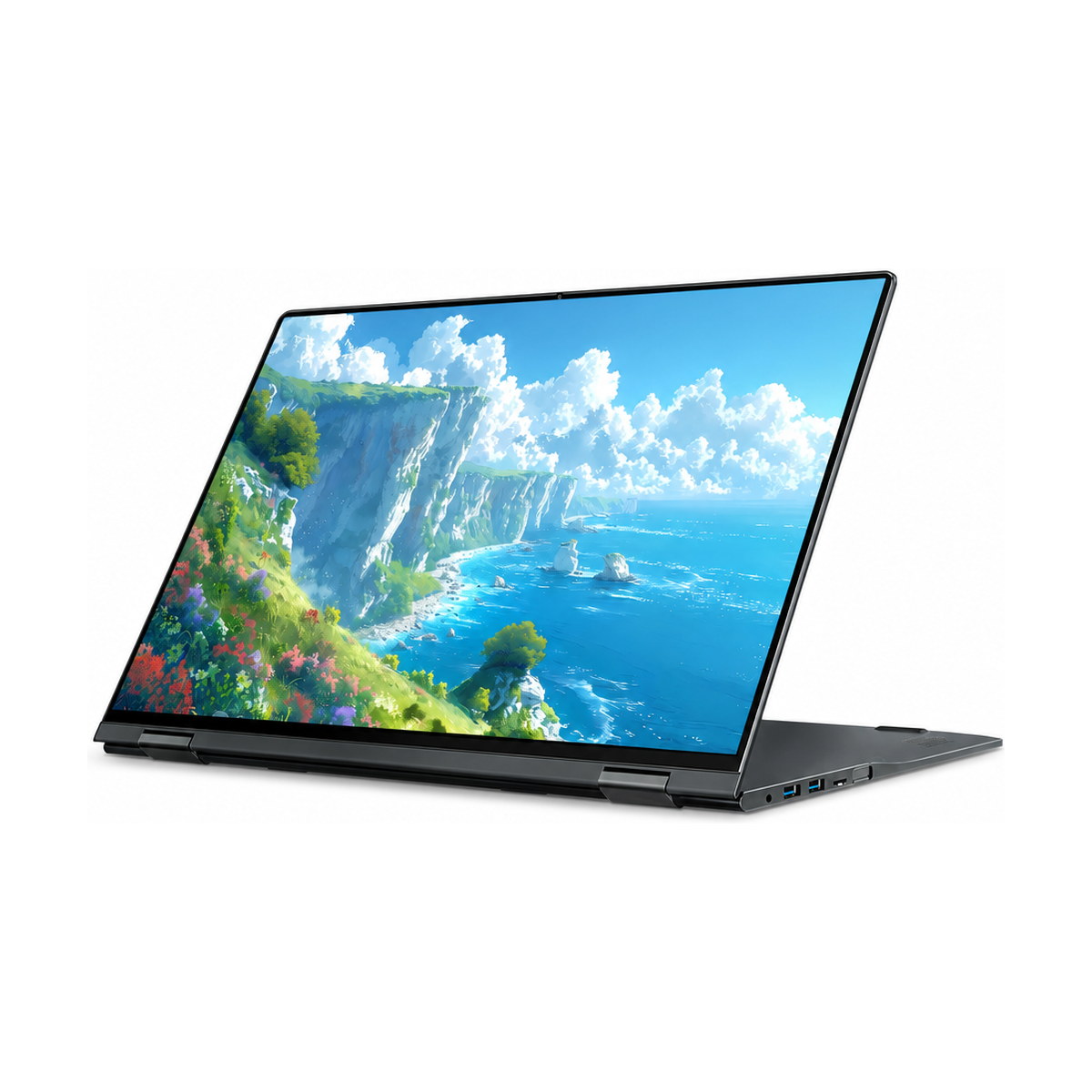
Convertible touchJ1 16-INCH · 360° reference laptop

J1

16-INCH · 360°
  • Display1920 × 1200 IPS touch
  • CPU exampleRyzen 3 3300U
  • Reference build16GB DDR4 + 512GB SATA SSD

Evaluate for: Training, demonstrations and workflows that need touch and laptop, stand, tent or tablet positions.

View J1 specifications →
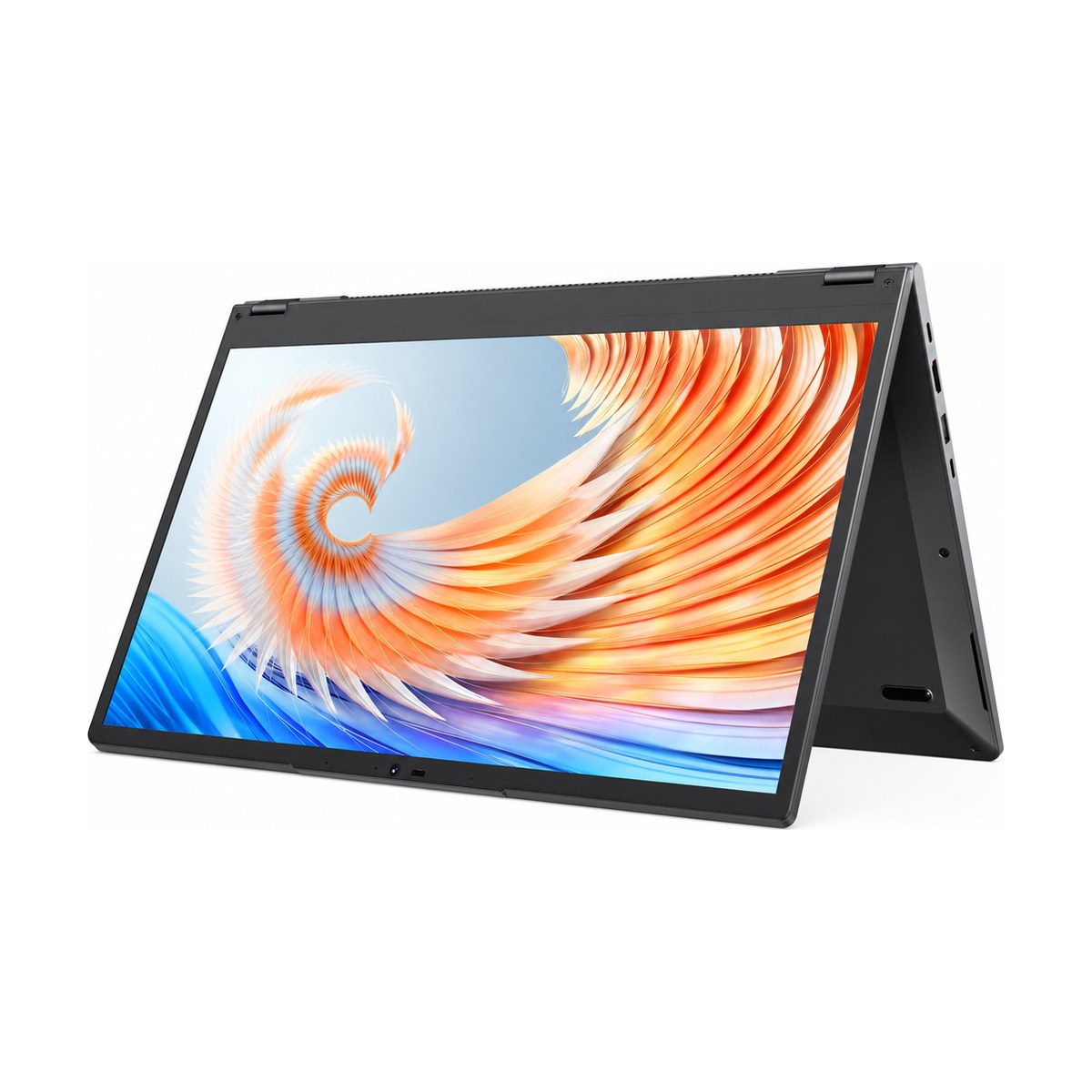
Convertible touchR2 15.6-INCH · 360° reference laptop

R2

15.6-INCH · 360°
  • Display1920 × 1080 IPS touch
  • CPU referenceCore i3-10100Y
  • Reference build16GB DDR3 + 256GB SSD

Evaluate for: Convertible requirements in a 15.6-inch format. Check the touch application, USB connections and charging package.

View R2 specifications →
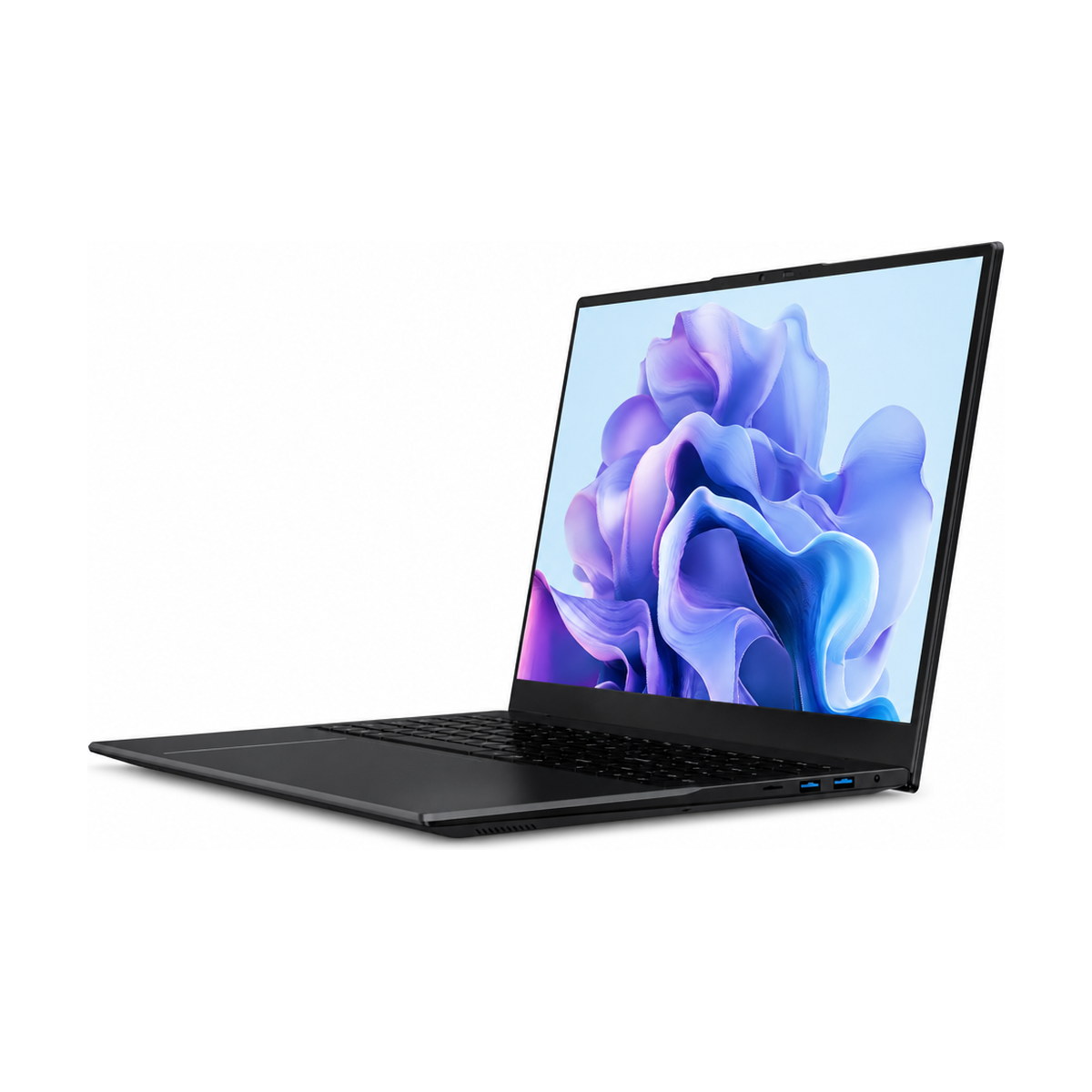
Large-screen clamshellP1 17.5-INCH i3 REF. reference laptop

P1

17.5-INCH i3 REF.
  • Core i3 display1920 × 1200 · non-touch
  • CPU referenceCore i3-10100Y
  • Reference build16GB DDR3 + 256GB SATA SSD

Evaluate for: Desk-based documents and spreadsheets with a 16:10 workspace. P1 does not support 360° conversion.

View P1 specifications →

Reference builds are starting points, not a live stock offer. CPU, RAM, storage, panel, ports and power must be confirmed for the selected version. S18D is currently bulk-only with no evaluation samples. For other conventional office references, review M156FH or S15.

Decision comparison

Compare the decision, then the specification.

Reference configurations only. P1 marketing may use the 17.6-inch class; the current Core i3 technical reference specifies 17.5 inches. A CPU change can also change the board, ports, cooling and power.
PlatformWorkspace / formatReference starting pointApproval priority
M156FB15.6-inch 1920 × 1080 IPS; conventional notebookCore i5-6200U / i5-6300U; 8GB / 16GB RAM; SSD by buildActual office workload, storage and external connections
J116-inch 1920 × 1200 touch; 360°Ryzen 3 3300U / 16GB DDR4 / 512GB SATA SSD referenceTouch application, working modes, board-specific ports and power
R215.6-inch 1920 × 1080 touch; 360°Core i3-10100Y / 16GB DDR3 / 256GB SSD referenceDisplay size, hinge use, supplied charger and peripherals
P1Current Core i3: 17.5-inch 1920 × 1200; non-touch clamshellCore i3-10100Y / 16GB DDR3 / 256GB SATA SSD referenceDesk space, final weight, monitor needs and keyboard layout

Before approval

Approve the work environment, not just capacity.

Use the same real tasks to compare shortlisted builds. Record the configuration and acceptance criteria so repeat orders have a clear baseline.

01
Application workloadTest the intended OS image, document templates, browser tabs and conferencing software together. Larger RAM or SSD figures alone do not establish performance.
02
Interaction and connectionsDecide whether touch and 360° modes are required. List each monitor, dock, USB device and charger; USB-C data, video and PD are checked separately.
03
Deployment and repeat ordersDefine keyboard language, licence requirements, market documents and quantity. Repeat supply depends on component availability; proposed changes require approval.
04
Local serviceAgree the warranty route, remote diagnosis and spare-unit or parts plan for the destination. Review warranty and RMA terms.

OEM & project options

Agree hardware and brand presentation together.

Submit the target quantity, keyboard language, logo artwork and packaging scope with your hardware brief. Feasibility and MOQ depend on the selected platform and materials; the approved specification defines the order.

Explore OEM & ODM options →

01BrandingConfirm logo process, position and artwork before approval.
02PackagingSpecify carton, manuals, labels and included accessories for the destination.
03LocalisationConfirm keyboard characters, system language, OS licence and plug separately.
04DocumentationReview documents against the exact model, battery and destination requirements.

Buyer questions

Business laptop procurement FAQ

Which models should we compare for ordinary office work?

Start with the M156FB Core i5 references, then review M156FH or S15 if their documented baseline fits your workload and capacity needs. Test the actual business applications, video calls and peripherals; a processor family or memory figure alone does not establish suitability.

How do J1 and R2 differ for a touch project?

J1 has a 16-inch 1920 × 1200 IPS touch reference; R2 has a 15.6-inch 1920 × 1080 IPS touch reference. Both support 360° positions. Compare the proposed CPU, ports, power package, weight and application behaviour for the exact builds.

Does P1 support touch or 360-degree conversion?

P1 is a conventional clamshell and does not support 360-degree conversion. The current Core i3 reference has a 17.5-inch 1920 × 1200 non-touch display. Other P1 marketing uses the 17.6-inch class, so confirm the panel for the selected version.

Can we order one evaluation unit before a fleet purchase?

Ask us to check availability for the chosen model and configuration. Selected available builds may be supplied for evaluation, with cost, preparation and delivery confirmed in the quotation. S18D is currently bulk-only and has no evaluation samples.

Can you apply our brand and local keyboard?

Logo, boot presentation, packaging and keyboard language can be evaluated against quantity and platform feasibility. Confirm the artwork, character layout, backlighting if required, licensed OS image and destination plug before approval.

Will the same build be available for a repeat order?

Repeat-order continuity is reviewed against motherboard and component availability. Keep an approved specification and change-control baseline; any proposed configuration change is confirmed before supply.

Which compliance documents can we request?

Document availability depends on the exact platform, configuration and destination. Ask for the applicable model-specific documents before order confirmation; one model’s document set does not automatically cover another build.

What happens after delivery if a unit fails?

The standard ODM/OEM laptop policy is a 12-month limited warranty from shipment for confirmed manufacturing defects. Start with remote diagnosis and obtain RMA authorisation before return. Freight responsibilities, coverage and any chargeable work are confirmed before dispatch or repair.

Send a brief we can evaluate.

Include the business applications, device count, display and touch needs, monitors or docks, destination, keyboard language, branding and required date.