Education laptops · school & campus projects

Education laptops for a defined teaching workload.

Compare one compact 14.1-inch HD reference and three 15.6-inch FHD references. Match screen format, local file capacity and the actual learning applications before planning a rollout.

Direct answer

How should a school choose a laptop platform?

Begin with the lessons and software, then shortlist the hardware. M156FH offers J4105 and SSD reference builds; S15 adds a 1TB SATA SSD reference for larger local file requirements; NB15 uses a 4GB LPDDR4 and 128GB eMMC baseline. PN141 provides a smaller 14.1-inch 1366 × 768 screen with 8GB onboard memory and 128GB capacity, with the storage medium still to confirm. Run the intended learning portal, video calls and offline tools on the selected unit before deployment.

Platform shortlist

Four references, different deployment priorities.

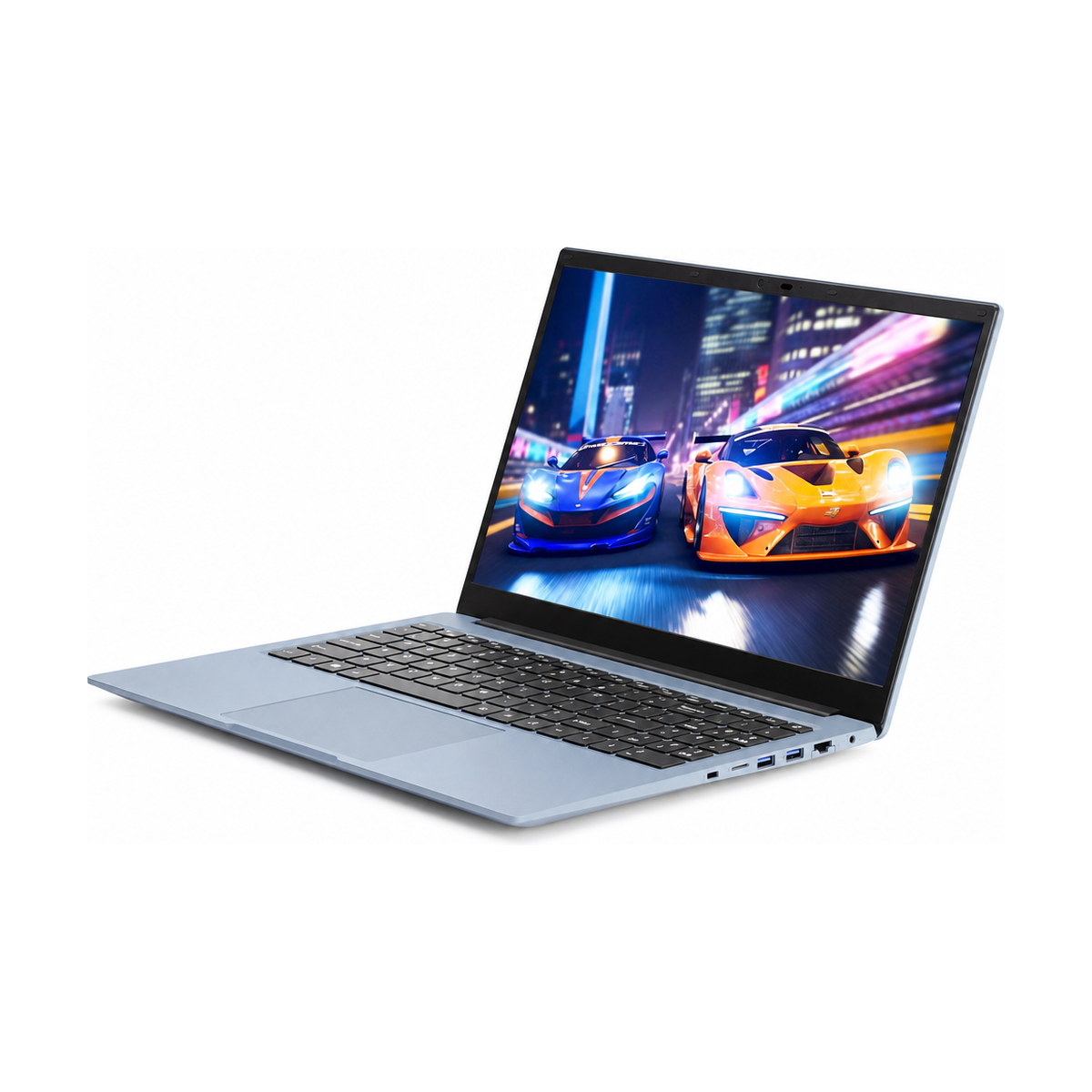
Classroom & officeM156FH 15.6-INCH FHD reference laptop

M156FH

15.6-INCH FHD
  • Display1920 × 1080 IPS
  • CPU referenceCeleron J4105
  • Reference builds6GB + 128GB / 12GB + 256GB SSD

Evaluate for: Everyday learning and document work after testing the school’s applications, conferencing and normal browser workload.

View M156FH specifications →
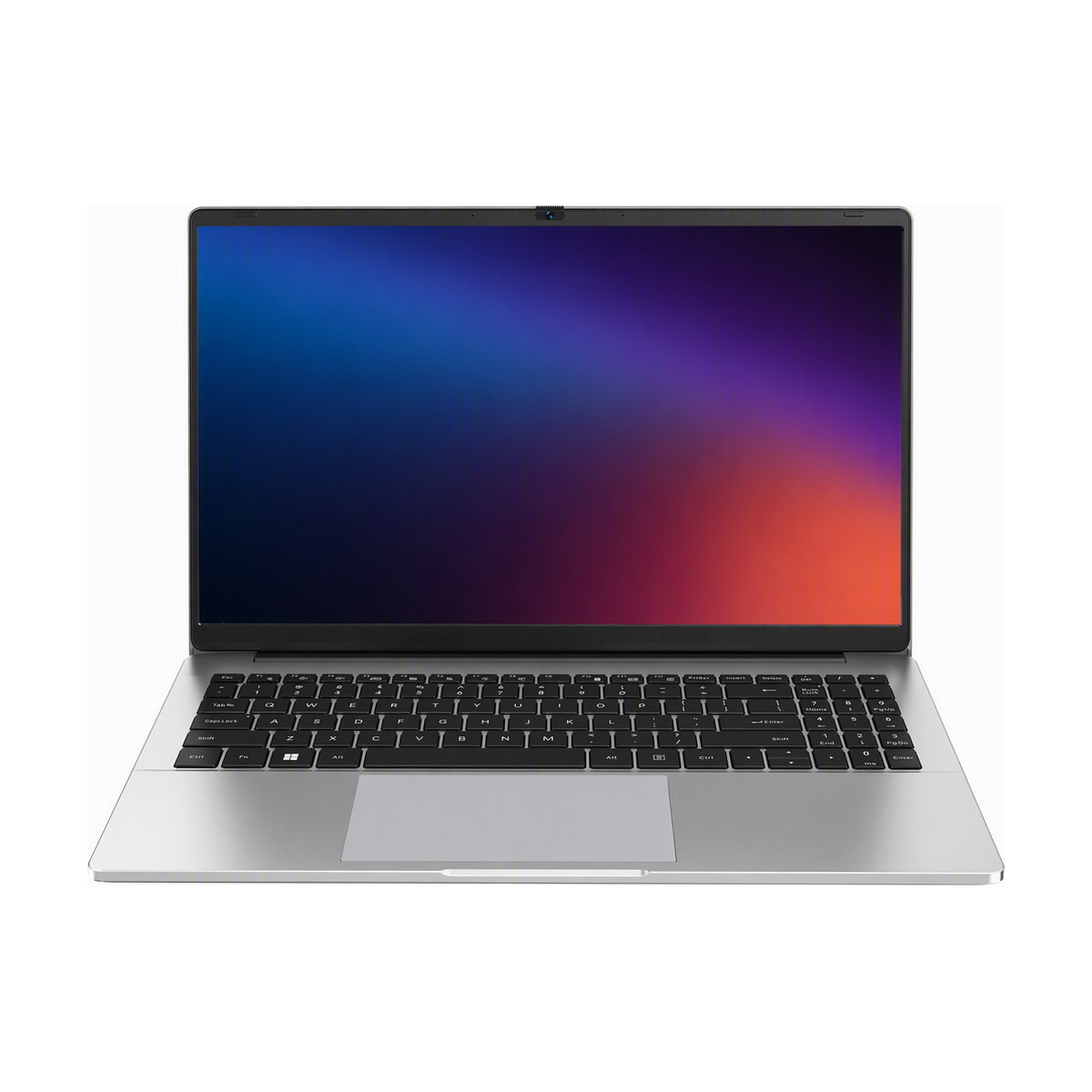
Local file capacityS15 15.6-INCH FHD reference laptop

S15

15.6-INCH FHD
  • Display1920 × 1080 IPS
  • CPU referenceCeleron N5100
  • Reference build16GB DDR4 + 1TB SATA SSD

Evaluate for: Programmes with substantial local files or offline course materials. Storage capacity does not establish application performance.

View S15 specifications →
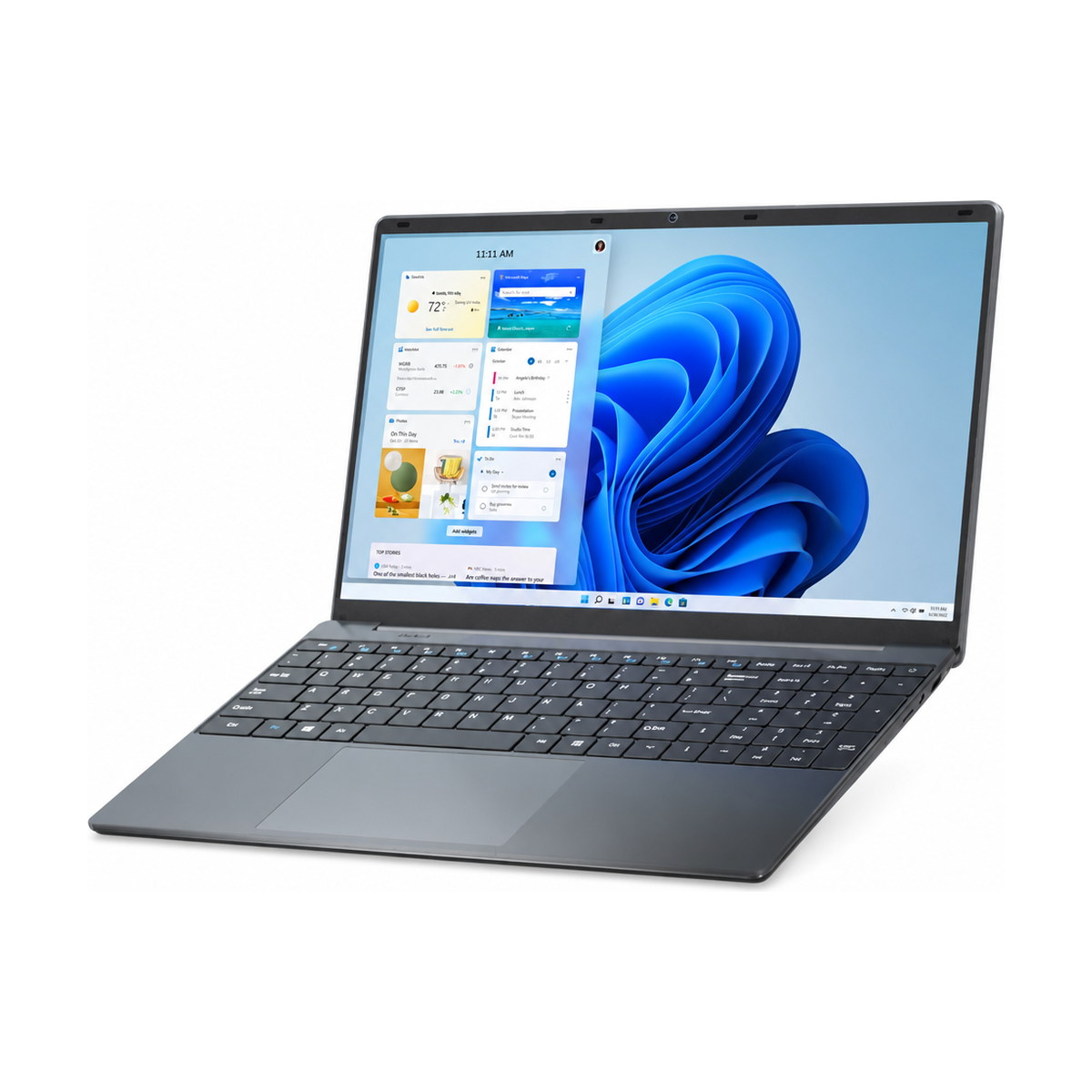
Entry learning referenceNB15 15.6-INCH FHD reference laptop

NB15

15.6-INCH FHD
  • Display1920 × 1080 FHD
  • CPU referenceCeleron N4020
  • Reference build4GB LPDDR4 + 128GB eMMC

Evaluate for: Defined learning portals and entry-level browser tasks. Test the 4GB memory and eMMC baseline with the intended image.

View NB15 specifications →
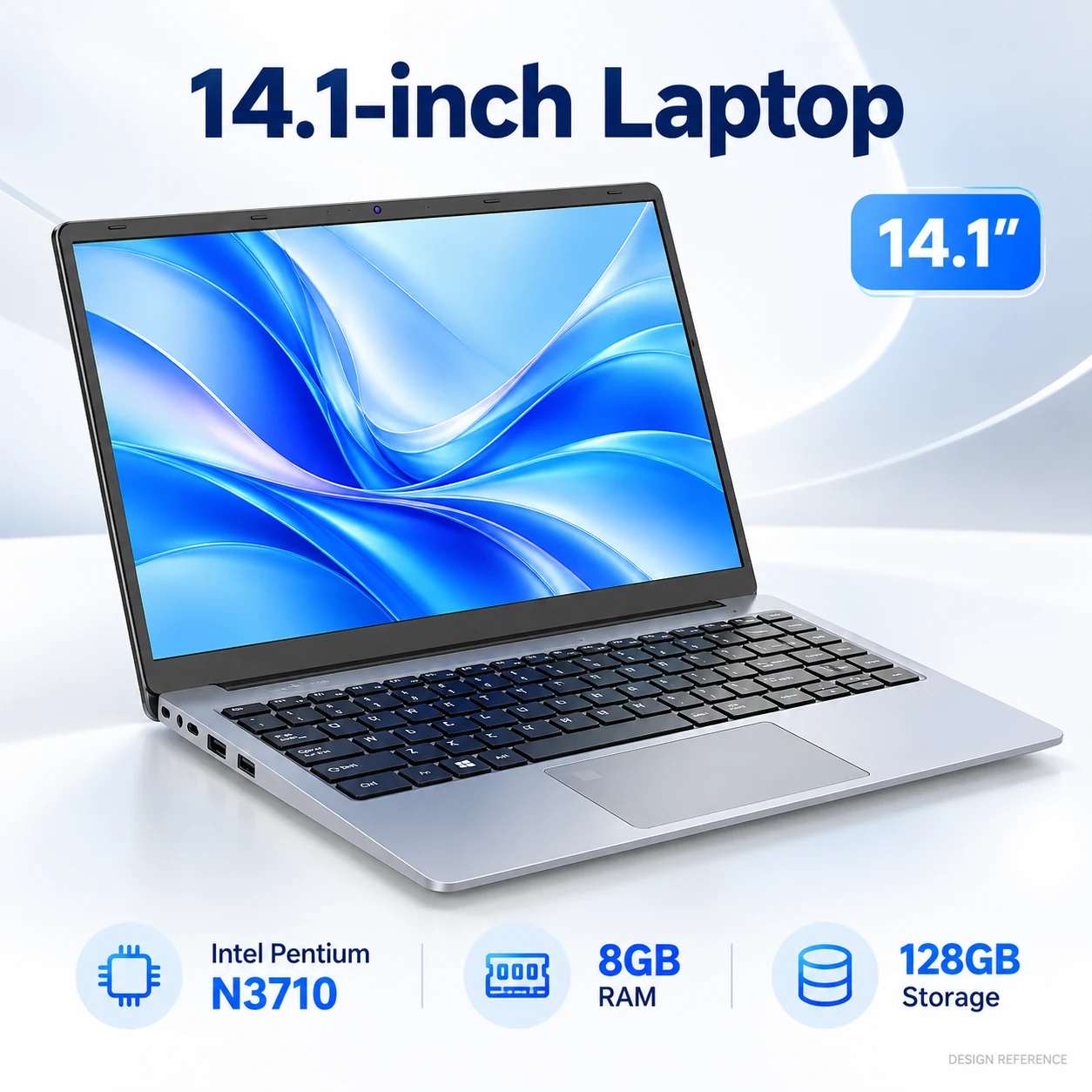
Compact work & studyPN141 14.1-INCH HD reference laptop

PN141

14.1-INCH HD
  • Display1366 × 768 · 16:9
  • CPU referencePentium N3710
  • Reference build8GB onboard + 128GB capacity

Evaluate for: Projects that prioritise a smaller screen format. Storage medium, final weight and application suitability need confirmation.

View PN141 specifications →

Reference builds are starting points, not a live stock offer. CPU, RAM, storage, panel, ports and power must be confirmed for the selected version. S18D is currently bulk-only with no evaluation samples. If touch is essential for lessons, compare the J1 and R2 convertible platforms separately.

Decision comparison

Compare screen and storage before setting the baseline.

Capacities and processors describe reference builds. PN141 is HD rather than FHD; its 128GB capacity must not be described as an SSD without confirmation. NB15’s documented 128GB reference is eMMC. Slot count, serviceability and final weight are confirmed for the ordered version.
PlatformDisplay referenceCPU referenceMemory & storage referenceApproval priority
M156FH15.6-inch 1920 × 1080 IPSCeleron J41056GB + 128GB / 12GB + 256GB SSD; SATA referenceLearning portal, calls and simultaneous browser workload
S1515.6-inch 1920 × 1080 IPSCeleron N510016GB DDR4 + 1TB SATA SSDOffline files, application performance and networking
NB1515.6-inch 1920 × 1080 FHDCeleron N40204GB LPDDR4 + 128GB eMMCRequired software image, free space and actual task load
PN14114.1-inch 1366 × 768 HDPentium N37108GB onboard + 128GB capacity; storage medium to confirmHD workspace, onboard-memory limit and application compatibility

Before approval

Use a classroom approval checklist.

A rollout needs a working software and support baseline as well as a unit price. Record what the evaluation must demonstrate before discussing the final quantity.

01
Learning and accessibilityTest the portal, login flow, video classes, audio devices and required accessibility tools. Check text size and visible workspace at the actual HD or FHD resolution.
02
Teaching-day chargingMeasure runtime with the school’s brightness, Wi-Fi and application pattern. Plan charging points and adapters from those results; battery capacity alone does not promise a full teaching day.
03
Files and networkEstimate course files, updates and backup space. Compare eMMC and SATA references, and confirm wired or wireless requirements for each site.
04
Rollout and local supportDefine the OS licence, keyboard, asset labels, delivery split and support owner. Spare complete units and compatible parts are quoted separately; quantities depend on the local service plan.

OEM & project options

Agree hardware and brand presentation together.

Submit the target quantity, keyboard language, logo artwork and packaging scope with your hardware brief. Feasibility and MOQ depend on the selected platform and materials; the approved specification defines the order.

Explore OEM & ODM options →

01BrandingConfirm logo process, position and artwork before approval.
02PackagingSpecify carton, manuals, labels and included accessories for the destination.
03LocalisationConfirm keyboard characters, system language, OS licence and plug separately.
04DocumentationReview documents against the exact model, battery and destination requirements.

Buyer questions

Education laptop procurement FAQ

Which education platforms are compared here?

The shortlist includes M156FH, S15 and NB15 in a 15.6-inch FHD format, plus PN141 with a 14.1-inch HD display. They are reference directions for evaluation, not a performance ranking or a live stock list.

Is PN141 a full-HD laptop with an SSD?

The current PN141 reference specifies a 14.1-inch 1366 × 768 HD display, 8GB onboard memory and 128GB storage capacity. The storage medium has not been confirmed, so the 128GB capacity must not be assumed to be an SSD. Confirm final weight and the actual software image as well.

How is NB15 storage different from the SSD references?

NB15’s documented 4GB + 128GB build uses eMMC storage. M156FH and S15 have SATA SSD reference builds. Compare the actual application workload, free space, update requirements, storage interface and serviceability rather than capacity alone.

Will these devices run all day on one charge?

No fixed teaching-day runtime is promised. Test the selected battery and configuration with the intended brightness, wireless network, video calls and learning tools. Use the measured result to plan charging points and the supplied adapter package.

Can we standardise a software image across several sites?

Provide the required applications, OS edition and licence requirements so compatibility can be checked on the selected CPU and motherboard. Approve the image and deployment process before rollout. A supported licence or software subscription is not assumed to be included.

How are sample availability and rollout timing confirmed?

Send the model, configuration, quantity, destination and required date. Evaluation-unit availability, preparation, production and shipping timing are quoted for that project. Page references do not reserve stock or guarantee a fixed schedule.

Which spare units and support arrangements should we plan?

Agree the local support owner, replacement process and quantities of spare complete units or compatible parts. Spares are not an automatic free allowance or a failure-rate promise. The standard warranty is 12 months from shipment for confirmed manufacturing defects; remote diagnosis and RMA authorisation come first.

Which documents should an education buyer request?

Document availability depends on the exact platform, configuration and destination. Ask for the applicable model-specific documents before order confirmation; one model’s document set does not automatically cover another build.

Send a brief we can evaluate.

Include learner and staff counts, learning applications, local file needs, network, desired screen format, destination, keyboard language, branding, delivery phases and target date.

Plan warranty and local support.

Standard ODM/OEM laptop warranty: 12 months from shipment for confirmed manufacturing defects. Remote diagnosis comes first; obtain RMA authorization before return. Freight responsibilities and any chargeable repair are confirmed before dispatch or work.

Read warranty, RMA and spare-unit planning →