
Guide
Two quotations can list the same processor and the same screen size and still describe different machines. This page sets out which fields actually decide the outcome, which ones are meant to change per order, and where a published specification stops and a contracted one begins.
Read nine areas: processor; memory and storage; display; wireless; ports; battery; keyboard and localisation; accessories and power supply; software scope. For each field, distinguish a confirmed reference, a version-dependent option and an item still awaiting confirmation. A published capacity, connector or model family does not establish the exact component or capability of the ordered build.
A specification is a configuration reference. The list below is the one we work to, and the middle column is the part buyers usually skip: what the field actually decides once the units are in service.
| Field | What it decides | Set when |
|---|---|---|
| Processor | The work the machine can still carry at the end of its service life. Intel or AMD platforms are both available, spanning Celeron through i3, i5, i7 and i9. | Chosen with the project |
| Memory and storage | The two levers most buyers use to hit a price point or a performance target. | Supported options confirmed for the exact board and build |
| Display and panel | Resolution, touch capability, brightness and colour gamut, so an education tender and a design-led channel can share one chassis and still differ where it matters. | Selected per programme |
| Wireless | The fitted module, which is one of the things the compliance document set is confirmed against, so a change here is a documentation question as well as a hardware one. | Confirmed at specification freeze |
| Ports | Docking, peripherals and what a user notices when something is missing. Confirm the physical connector and supported functions for the exact build; a USB-C connector alone does not establish charging or video output. | Chosen with the project |
| Battery | The runtime profile your users actually need, and by extension the transport documentation the shipment requires. | Against the runtime target |
| Keyboard and localisation | Layout, legends and function-key arrangement for the market. | Per order |
| Accessories and power supply | Mains plug, adapter type and any regional input requirement, so one order can serve several regions without a separate SKU per country. | Per destination market |
| Software scope | The image, the preload and the system language. | Agreed in writing before production |
What is not on that list matters too. Weight, for example, is a consequence of the panel and the chassis rather than an independent choice, and it is the field buyers reach for last and regret first. The wider option set is on the customisation page, and what changes market by market is on compliance by market.
A sheet that is accurate and a sheet that is useful are not the same document. These are the five things worth checking before you treat one as settled.
Compare nine model references below. These are reference builds, not a live-stock offer or a promise of interchangeable processors, panels or storage. Follow each model link and confirm the ordered build in writing.
| Platform | Best for | Display | Processor | Memory and storage |
|---|---|---|---|---|
| M156FH | Education, everyday productivity | 15.6" 1920 × 1080 FHD | Intel Celeron J4105 | 6GB + 128GB / 12GB + 256GB |
| J1 | Touch-first hybrid work | 16" 1920 × 1200 IPS touch, 360° convertible | AMD Ryzen 3 3300U | 16GB + 512GB SSD |
| P1 | Large-screen productivity | Current Core i3: 17.5-inch 1920 × 1200 non-touch; other panels by build | Core i3 / N95 / N5095 references; board confirmed by build | 16GB DDR |
| S15 | Storage-led offers | 15.6" FHD IPS | Intel Celeron N5100 | 16GB + 1TB SSD |
| S18D | Multi-window desktop work | 18.5" FHD IPS | Intel Core i3-10100Y | 256GB / 512GB / 1TB SSD |
| R2 | Touch-first convertible business use | 15.6" 1920 × 1080 IPS touch, 360° hinge | Intel Core i3-10100Y | 16GB + 256GB M.2 SSD; one slot, up to 2TB on supported builds |
| NB15 | Education and volume deployment | 15.6" 1920 × 1080 FHD | Intel Celeron N4020 | 4GB + 128GB eMMC |
| M156FB | Business and channel projects | 15.6-inch FHD IPS | Core i5-6200U / i5-6300U references | 8GB / 16GB RAM; SSD confirmed per build |
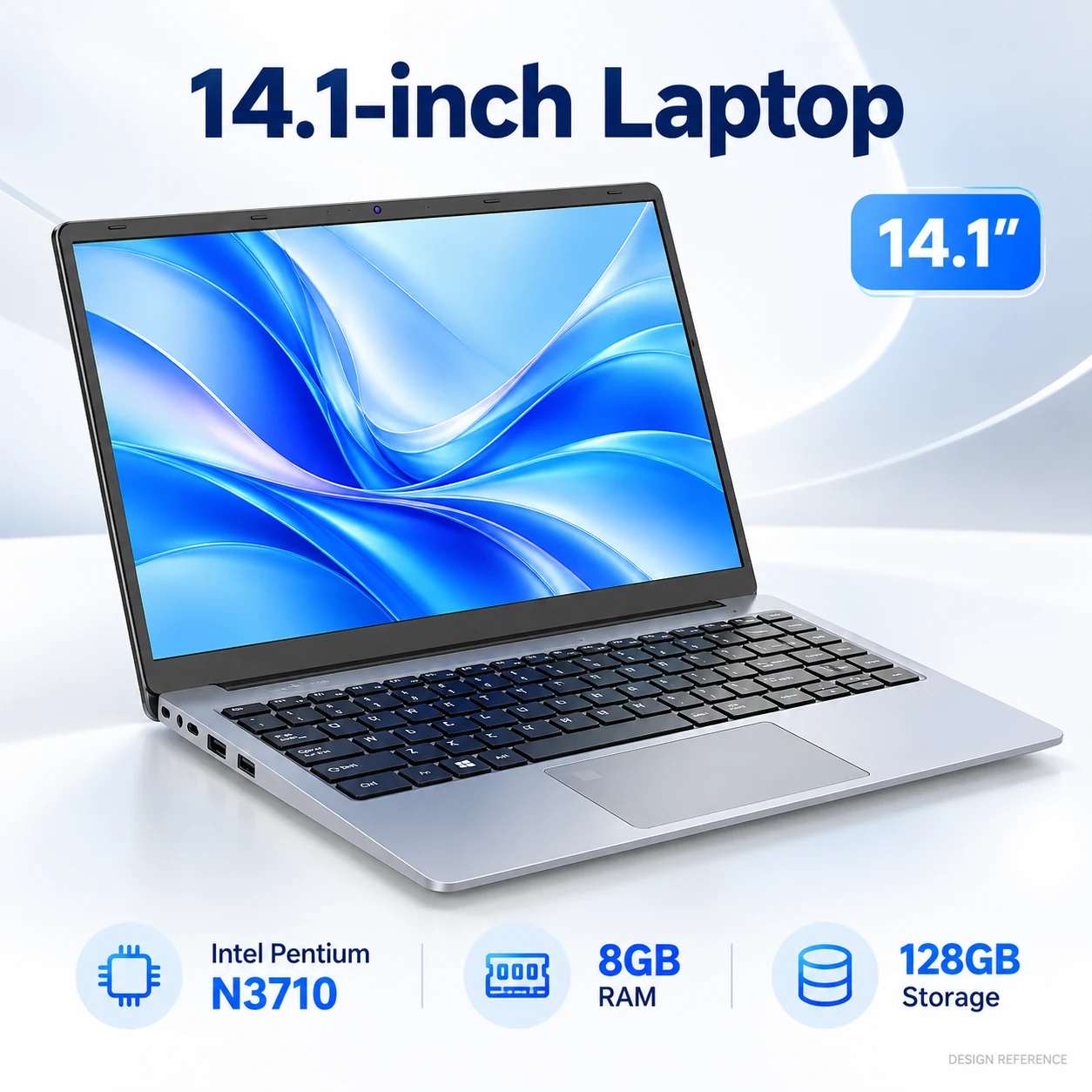
| PN141 | Compact work and study | 14.1-inch 1366 × 768 HD | Intel Pentium N3710 | 8GB onboard + 128GB capacity; storage medium to confirm |
Reference configurations, published on the product platforms page. Confirm the final specification against your quotation and approved sample rather than against this table. Weight and cost per unit are the two fields most often compared between platforms, so they are worth reading on the category pages themselves: business, education, large screen and convertible.
Every platform in the range gives something up, and the specification is where that shows. It is better to choose the compromise deliberately than to discover it after the units are deployed.
Options depend on the board, materials, quantity and change scope. The planning table below does not establish availability on every model or automatic inclusion of branding. Confirm compatibility, MOQ, setup charges and schedule in the quotation. S18D is bulk-only with no evaluation samples.
| Element | Stock evaluation | Stocking batch | Custom programme |
|---|---|---|---|
| Model and configuration choice | From available stock | Subject to review | Selected |
| Memory and storage | As stocked | Subject to review | Configured |
| Keyboard language | As stocked | Per order | Per order |
| Device label and serial number | Standard | Yes | Yes |
| Retail packaging and inserts | Standard | Yes | Yes |
| Boot logo and splash screen | No | Subject to review | Yes |
| Custom enclosure or tooling | Not offered | Not offered | Not offered |
Only the configuration side is shown here. Branding, packaging and documentation are covered by the private label programme, and the cost of the fixed work behind a smaller order is explained on the customisation cost page.
A specification sheet stops being a description and starts being a reference at the moment it is signed off. The sequence below is how your order runs, whether it is a stock configuration or a fully branded programme.
Compare the published platforms field by field, exactly as the table above does, and treat the result as a shortlist rather than a decision.
Memory, storage, panel, keyboard language and software scope are settled against how the devices will actually be used, not against a price point alone.
Confirm the exact available evaluation unit or agreed bulk-approval evidence. Sample price and preparation are quoted separately. Record the approved specification, artwork revision and any unresolved conditions. S18D has no evaluation samples; another model’s sample does not approve an S18D build.
Each reorder requires an availability and change review against the approved specification. Confirm proposed board, firmware, appearance or component substitutions before supply. There is no universal 24-month configuration guarantee.
If you are comparing this against the alternative of buying a different build each time, the supply continuity page sets out what holding a platform stable actually protects. Where the order is part of a wider deployment, rollout planning covers staging, spares and support. The sample page covers what the approval step settles.
Nine areas: processor; memory and storage; display; wireless; ports; battery; keyboard and localisation; accessories and power supply; software scope. Record the exact model and build, document revision, confirmed details, version-dependent options and unresolved items.
Changes depend on the selected model, board, materials and quantity. Memory structure, storage interfaces, panel, processor, ports, battery, keyboard and software requests require compatibility and availability review. Quantity alone does not make every field configurable.
No. Published specifications are a clear starting point, and the final configuration, documentation, MOQ and lead time are confirmed against your project and live availability. What defines the supply is the quotation, the approved sample and the frozen specification sheet.
Unresolved conflicts between the model, configuration, component references and supporting evidence need clarification before approval. Ask for a revision-controlled specification and agreed inspection or approval evidence for the ordered build.
Yes. The fitted wireless module is one of the things the compliance document set is confirmed against, along with the charger, the battery and the destination, so changing it is a documentation question as well as a hardware one. See compliance by market.
Record the exact battery reference, rated voltage and capacity, and the documents required for the chosen route. Review any battery change with the supplier and carrier before shipment. Capacity alone does not establish runtime or document applicability.
The software scope and the accessory scope first, then the keyboard language, the destination document set, and whether the configuration is held stable long enough to be reordered. Two orders of the same size can differ in platform, memory, storage and documentation, which is why pricing is quoted per configuration and volume.
It helps. Decide whether you are asking for a rebranded platform, a configured platform or a design of your own before you send the brief, because the three have different minimums and different freeze points. The OEM, ODM and private label guide sets the difference out side by side.
The model links below are reference starting points. Stock, sample and production availability are confirmed separately. S18D is bulk-only with no evaluation samples.
| Status | How to use it | Example |
|---|---|---|
| Confirmed reference | State the exact model, version and supporting record | NB15 standard reference: 4GB LPDDR4 + 128GB eMMC; eMMC is not an SSD |
| Version-dependent | Confirm which option belongs to the ordered build | S18D battery details vary by order; P1 panel and CPU references must be read by version |
| To confirm | Resolve the missing detail before approving the order | PN141 has 128GB capacity but the storage medium remains to be confirmed; S18D supplied adapter, charging power, cable and plug remain to be confirmed |
P1 is a conventional clamshell with no 360-degree conversion; the current Core i3 reference is non-touch. J1 and R2 are touch convertibles. S18D is bulk-only with no evaluation samples; its cooling details must be confirmed from the exact build rather than inferred.
Tell us how the devices will be used, which market they are going to and roughly how many you need, and we will come back with a platform and a configuration to compare rather than a catalogue to browse. If the specification is already written, send it: our engineers are happy to review it before you commit. The OEM and ODM programmes cover the routes available, and the full range is on the product platforms page.
 M156FH
 J1
J1 P1
P1 S15
S15 S18D
S18D R2
R2 NB15
NB15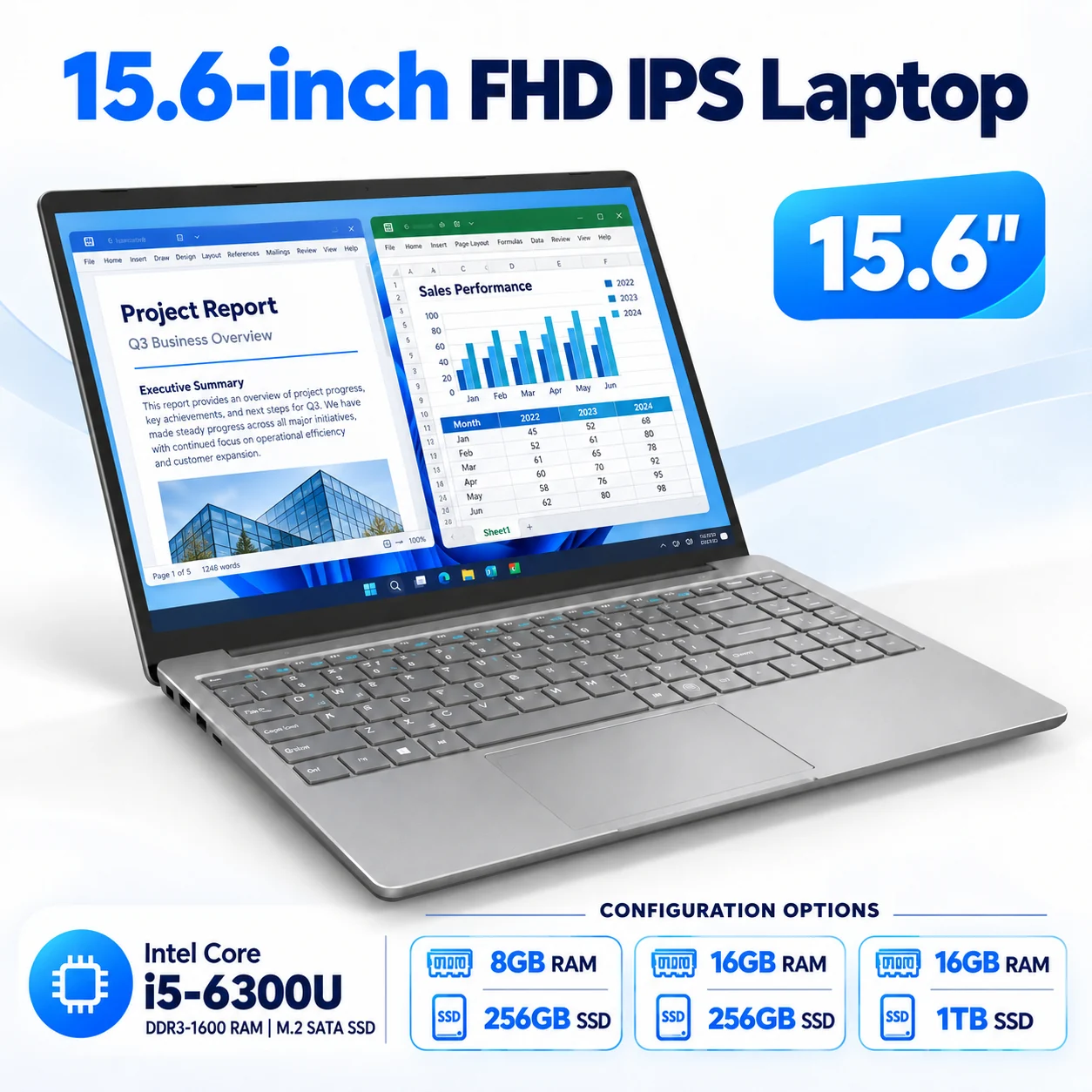 M156FB
 PN141
PN141